
Colon
Type a colon, get an emoji. Or a hieroglyph. Your call.
Version 1.0.2, released 15 September 2026
Colon is an emoji picker that lives in your keyboard instead of in a menu. Type : followed by a word, anywhere you can type, and a little panel appears next to your cursor with matching emoji. Press return and the emoji lands exactly where the colon was. That’s the whole trick, and it works in every app: Mail, Slack, Notes, and that text field in the corner of a web page you’ve never noticed before.
How it works
You’re typing along. You want to say the thing, but with a 🎉. Instead of reaching for the mouse or trying to remember the Character Viewer shortcut, you type :party, and Colon shows a shortlist right at your caret, popular ones first and, after a while, the ones you actually use. Return inserts it. Escape makes it go away. Nothing else about how you type changes.
- Search by name or keyword.
:cat,:shrug,:fire,:ok. Fuzzy matching is there if you want it, off if you don’t. - Your skin tone, remembered. Pick once and every 👋 arrives the way you like it. Hold ⌥ while pressing return to get the plain text variant instead.
- Colon learns. Whatever you pick for a word floats to the top the next time you type that word. No configuration, just habit.
- Not fond of the colon? Use
+,/or~as the trigger instead. We won’t take it personally.
Beyond emoji
Emoji is where it starts. Behind it sits the entire Unicode library: 27,000 characters in 350 blocks, searchable by their proper names. Arrows, box drawing, math operators, playing cards, mahjong tiles, and yes, Egyptian hieroglyphs with real descriptions, so :owl finds you a 𓅓. Switch whole blocks on or off in the Library, or hand-pick single characters.
- Text replacements. Colon ships with a starter pack of kaomoji, from ¯\_(ツ)_/¯ to (╯°□°)╯︵ ┻━┻. Add your own snippets with your own keywords.
- Feeling lucky? Type
:randomfor a random emoji, with every skin tone counting as its own roll of the dice, or a random character from anywhere in Unicode. It cycles through everything before repeating itself, like a CD player on shuffle. - Character Info. Select any text in any app and ask Colon what it is, from the right-click Services menu or a global shortcut of your choosing. You get the name, the codepoints, the block, and for emoji sequences the full recipe of what they’re made of.
Made to stay out of the way
Colon lives in the menu bar and starts with your Mac if you like. It never steals focus from the app you’re typing in, and you can exclude apps or websites where a colon should just be a colon: your terminal, your code editor, that one web app that already has its own picker.
Screenshots
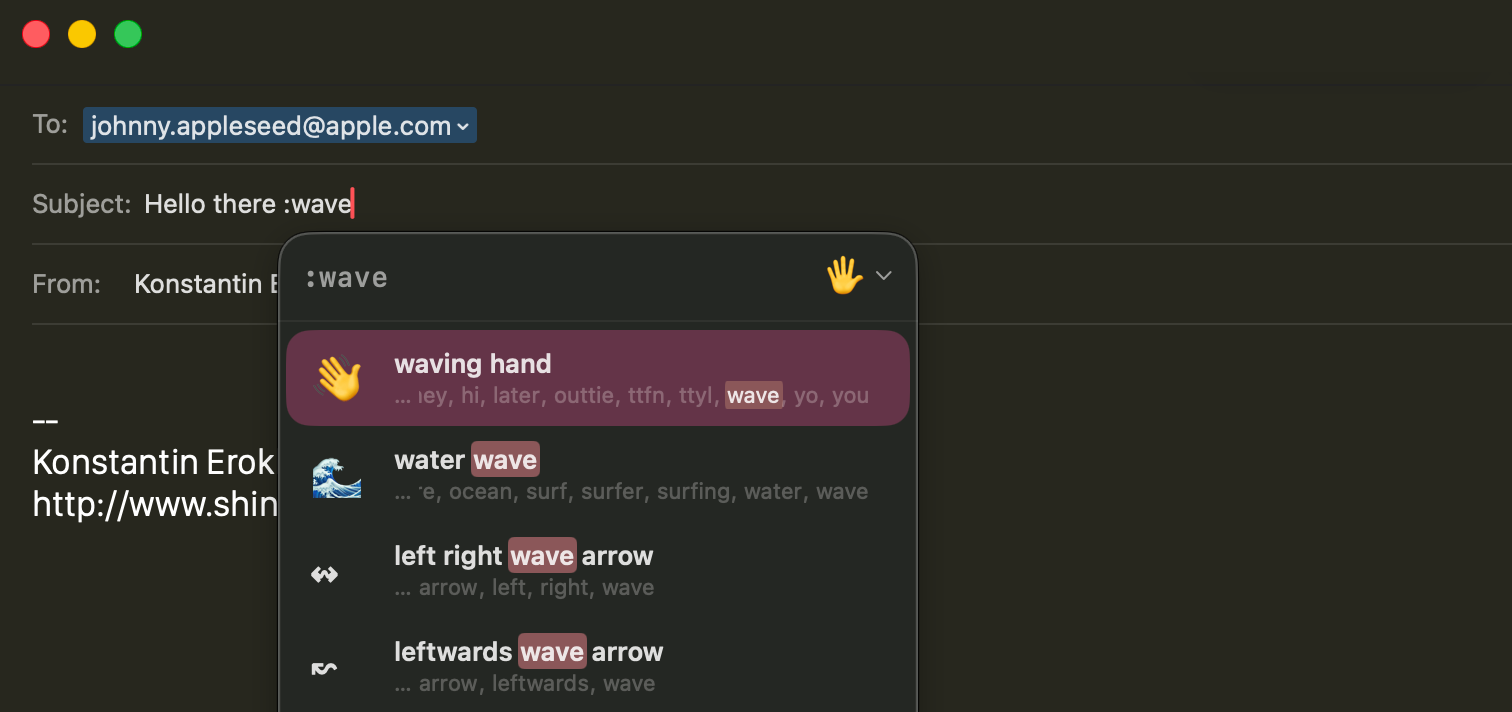
:wave in the subject line of a mail, pick, done.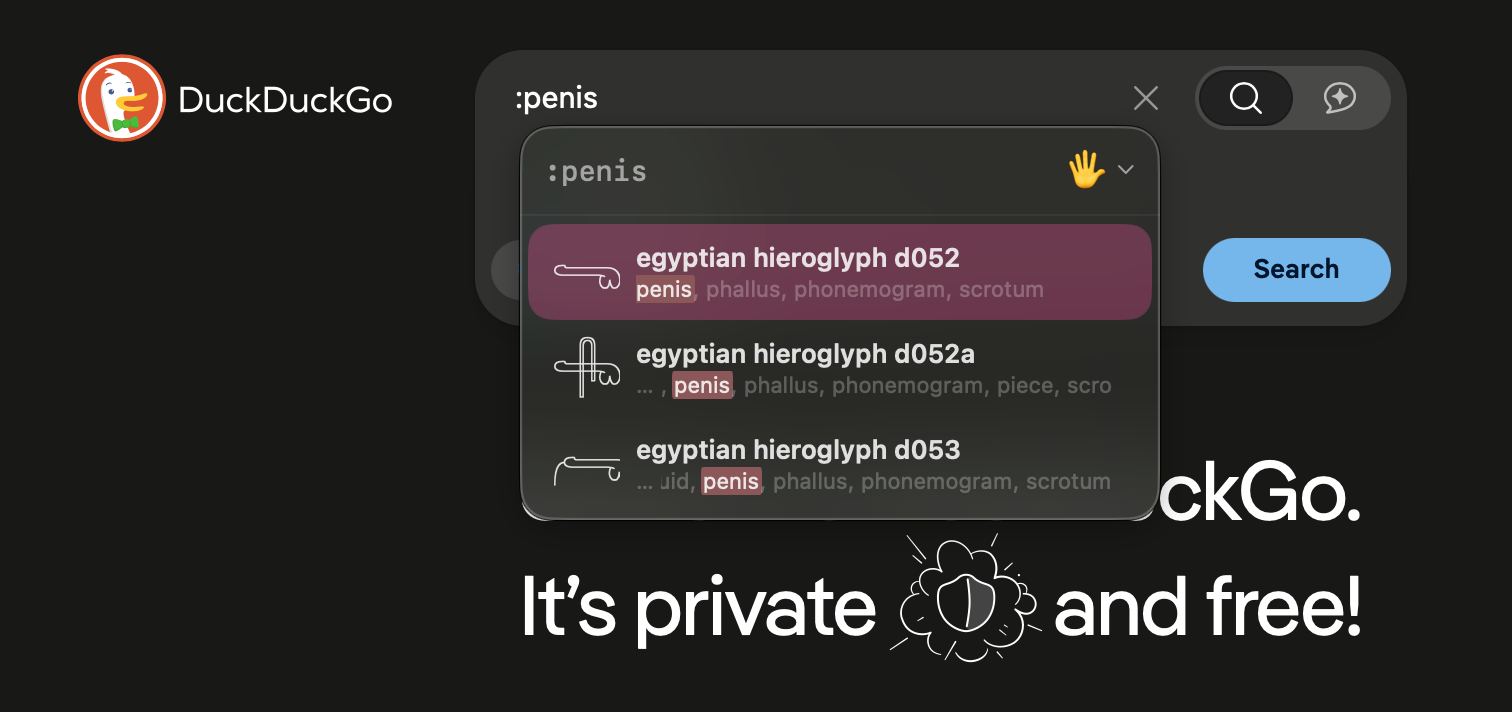
Privacy
Colon collects nothing. No network, no analytics, no account. Your emoji habits stay on your Mac, in a plain local database you can delete any time.
It does need two macOS permissions to do its job, and it explains both on first launch: Input Monitoring, to notice when you type the trigger character, and Accessibility, to find your cursor and insert the character you picked. That’s what they’re for, and nothing else.
In short–it sees everything you type, but it will never tell it to anyone.
The flip side of never going online is that Colon will not update itself. When a new version is out, this page will say so; come back now and then and grab it. That goes for every app in Never Phones Home.
Requirements
macOS 15 Sequoia or later
What’s new
-
1.0.2
- Inserting an emoji next to another one no longer replaces it.
- Preferences redesigned in the System Settings style.
- Library columns gained inline filters and arrow-key navigation.
- Added Check for Updates, in the menu bar and in Preferences.
-
1.0.1
- Preferences no longer opens behind the app you were using.
- Diagnostic logs now go to Console, with anything you type redacted.
-
1.0
- First public release.